Glitch Saver

Sale!

Phomemo Portbale Printers Wireless for Travel, M832 Bluetooth Thermal Printer 8.5'' x 11'', Comaptible with Android & iOS Phone and Laptop, Small Mobile Printer for Office School Home Use

Original price was: $77.99.Current price is: $49.99. (as of 05/16/2026 19:54 PST - DetailsProduct prices and availability are accurate as of the date/time indicated and are subject to change. Any price and availability information displayed on Amazon at the time of purchase will apply to the purchase of this product.)

Prints 8.5” x 11”, A4, 4.33”, 3.14 and 2.08” wide thermal paper, ideal for business professionals, traveling entrepreneurs, offices, schools, and students use a portable printer as it is compact, economical, and mess-free due to the use of features like thermal printing technology instead of ink cartridge.

SKU: B0DW47H72X Category:

Description

  • Multi Purpose – Prints 8.5'' x 11'', A4, 4.33'', 3.14 and 2.08'' wide thermal paper, ideal for business professionals, traveling entrepreneurs, offices, schools, and students use a portable printer as it is compact, economical, and mess-free due to the use of features like thermal printing technology instead of ink cartridge.
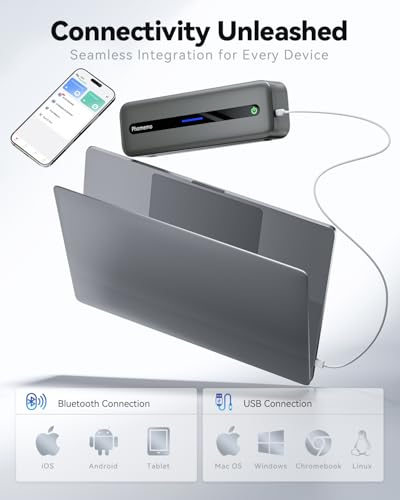
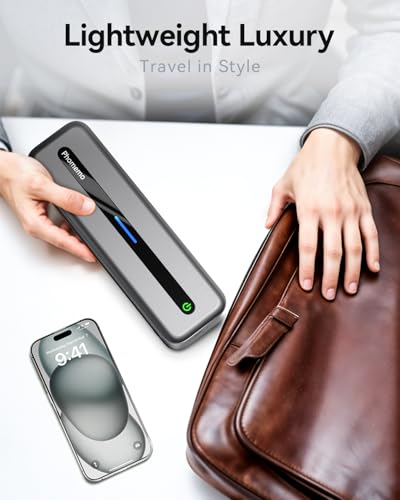
  • Wireless & Portable – The portable Bluetooth wireless Phomemo thermal printer offers convenient and fast printing from your Phone or tablet. It built-in 2600 mAh rechargeable battary for long lasting . The compact design allows it to easily carry and work anytime and anywhere.
  • Easy to Use – The App "Phomemo"requires no registration and free template, no ink or toner needed, printing documents, reports, forms, letters, assignments, and study materials more economical than the ink costs of inkjet printers.
  • Phone and Tablet Start Print – Step 1: Download the App 'Phomemo'. Step 2: Turn on the M832 printer and your phone's or tablet's Bluetooth. Step 3: Click the 'Printer' icon in the App to search for the M832 portable printer, connect it via Bluetooth in the App, and select the paper size and file type to start printing
  • Laptop/PC Starts Printing – Step 1: Please check your laptop/PC's operating system (OS) and download and install the correct M832 driver from the Phomemo website. Step 2: Use the USB data cable to connect the M832 printer to your computer. Step 3: Select and open your document, and choose M832 from the printer list

Additional information

Brand

Phomemo

Manufacturer

Phomemo

Binding

Electronics

Model

M832

Color

Grey

Width

3.0708661386 inches

Height

1.7716535415 inches

Length

10.3937007768 Inches

Item Weight

1.543235834 Pounds

Size

8.5'' x 11''